Advantage Solutions
- Role
- Senior Product Designer
- Scope
- UX/UI · Research · Enterprise workflows · Design systems
- Product
- Event Management Platform
- Context
- Enterprise retail operations
Enterprise retail event management
Redesigning how enterprise retail teams plan, track and manage in-store activations.
Advantage Solutions supports large retail organizations managing complex promotional and in-store event operations.
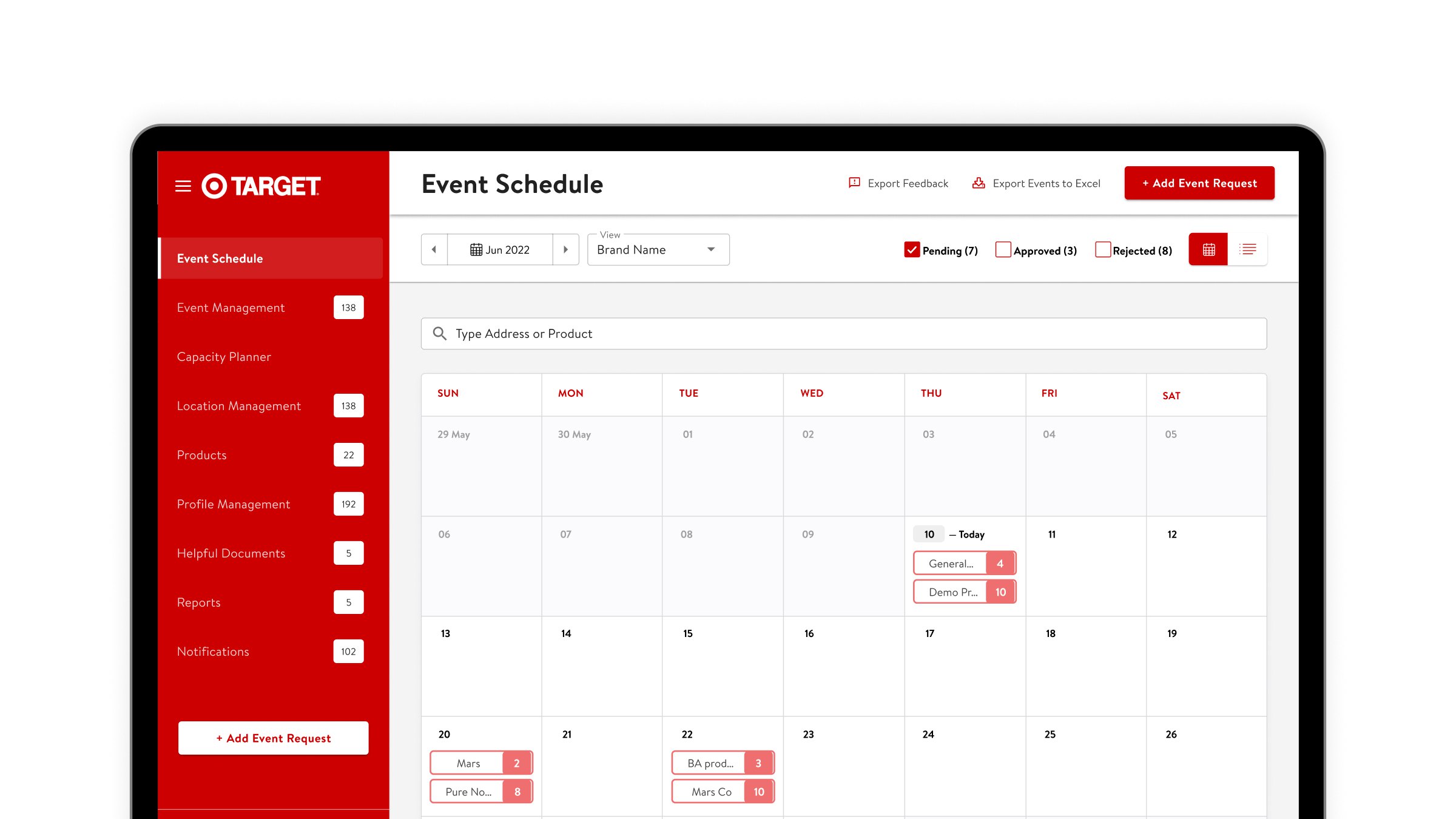
I helped redesign the Event Management platform to simplify core workflows, improve operational visibility and create a more scalable experience across enterprise client configurations.
+18%Usability improvement
67 → 78%Multi-feature adoption
Enterprise scale
Flexible product foundation across client configurations
The Problem
One platform had to support very different retail operations.
The existing Event Management experience had accumulated complexity across event creation, scheduling, reporting and enterprise client configurations. Teams needed faster ways to create and locate events while the product also needed to accommodate different retail organizations without becoming a collection of separate experiences.
01
Complex event creation
Critical workflows had become difficult to navigate and required simplification.
02
Fragmented visibility
Event status, scheduling and reporting needed to be easier to scan across large volumes of activity.
03
Enterprise variation
Different retail clients required different configurations without maintaining entirely separate products.
Design decision 01
Making high-volume event schedules easier to scan
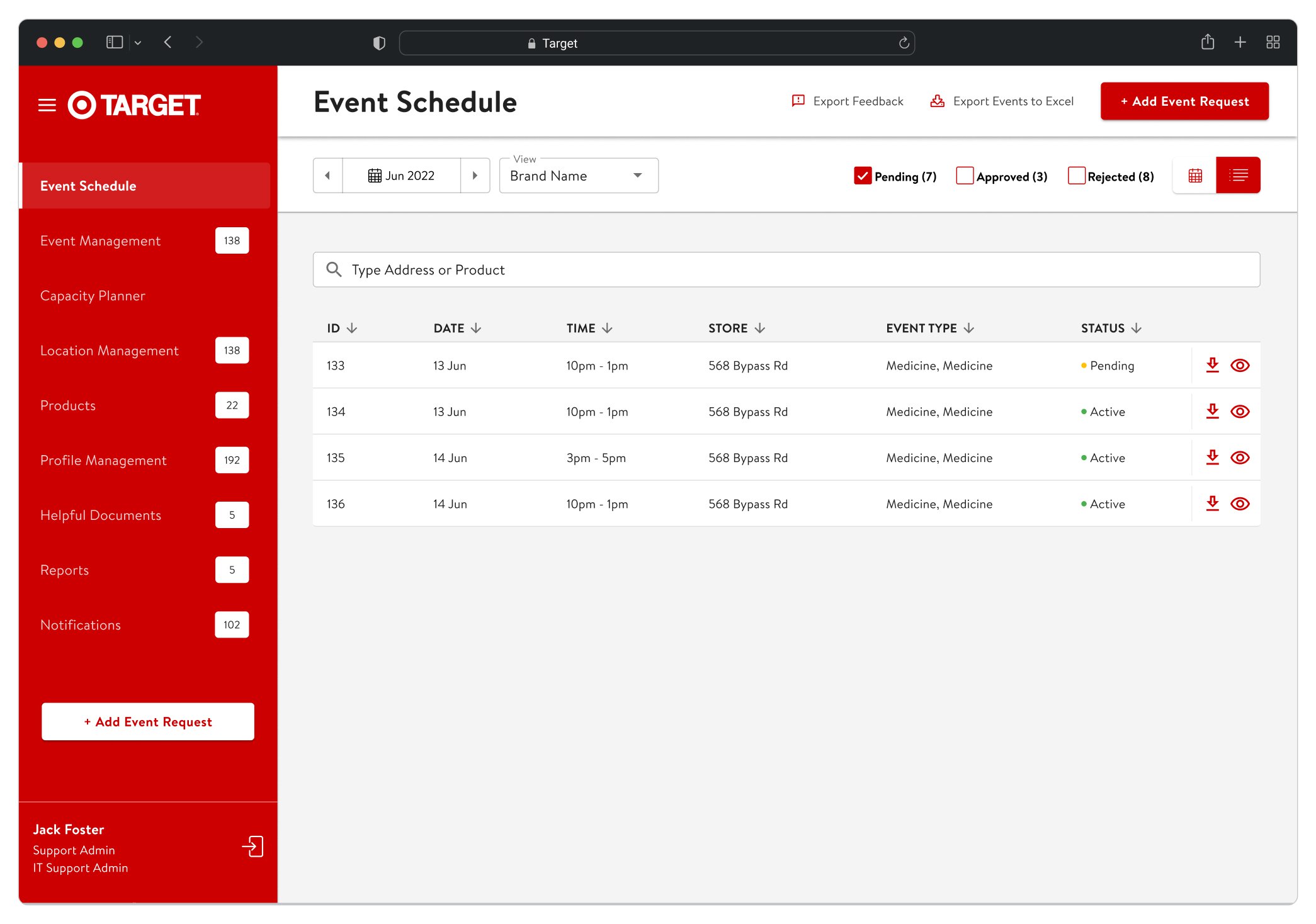
The schedule carries the day-to-day work of the platform: it has to hold large numbers of events while letting a user find the relevant ones and understand their state without opening each record.
01
Filters before results
Surface common filtering controls so users can narrow large event sets quickly.
02
Status at a glance
Make event states such as Pending, Approved and Rejected easier to distinguish while scanning.
03
Actions in context
Keep frequent event actions attached to the relevant event record.
Design decision 02
Building one product for multiple retail brands
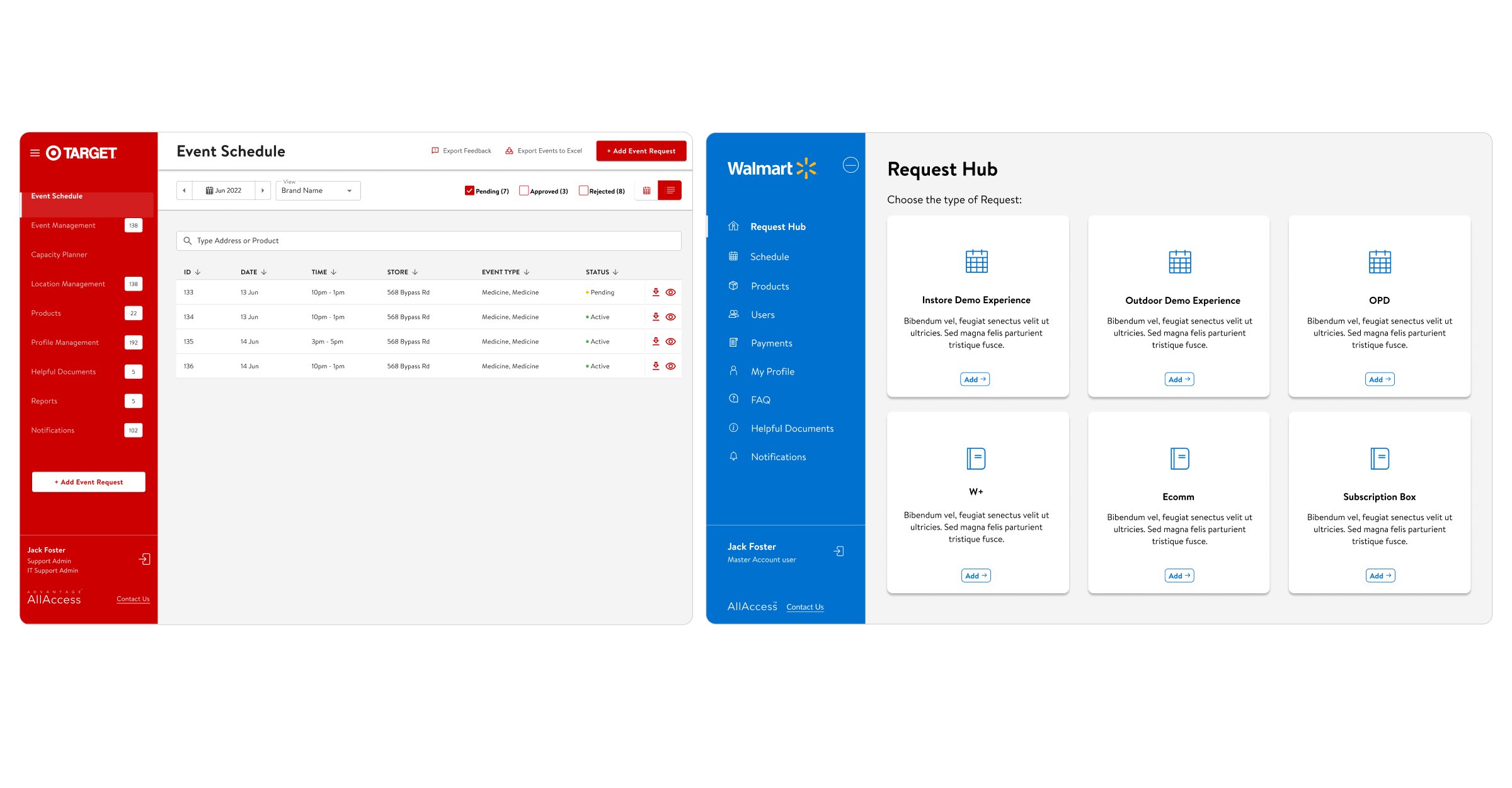
The platform served several enterprise retail clients, each with its own branding and configuration requirements. Rather than letting those differences fork into separate experiences, the redesign kept one product underneath and treated brand and configuration as things the interface could adapt to.
01
Shared components
Keep core interaction patterns consistent across client configurations.
02
Configurable branding
Allow the interface to adapt to individual enterprise identities without changing fundamental workflows.
03
Scalable foundation
Support new client requirements without requiring a complete product redesign.
Design decision 03
Simplifying the path from request to scheduled event
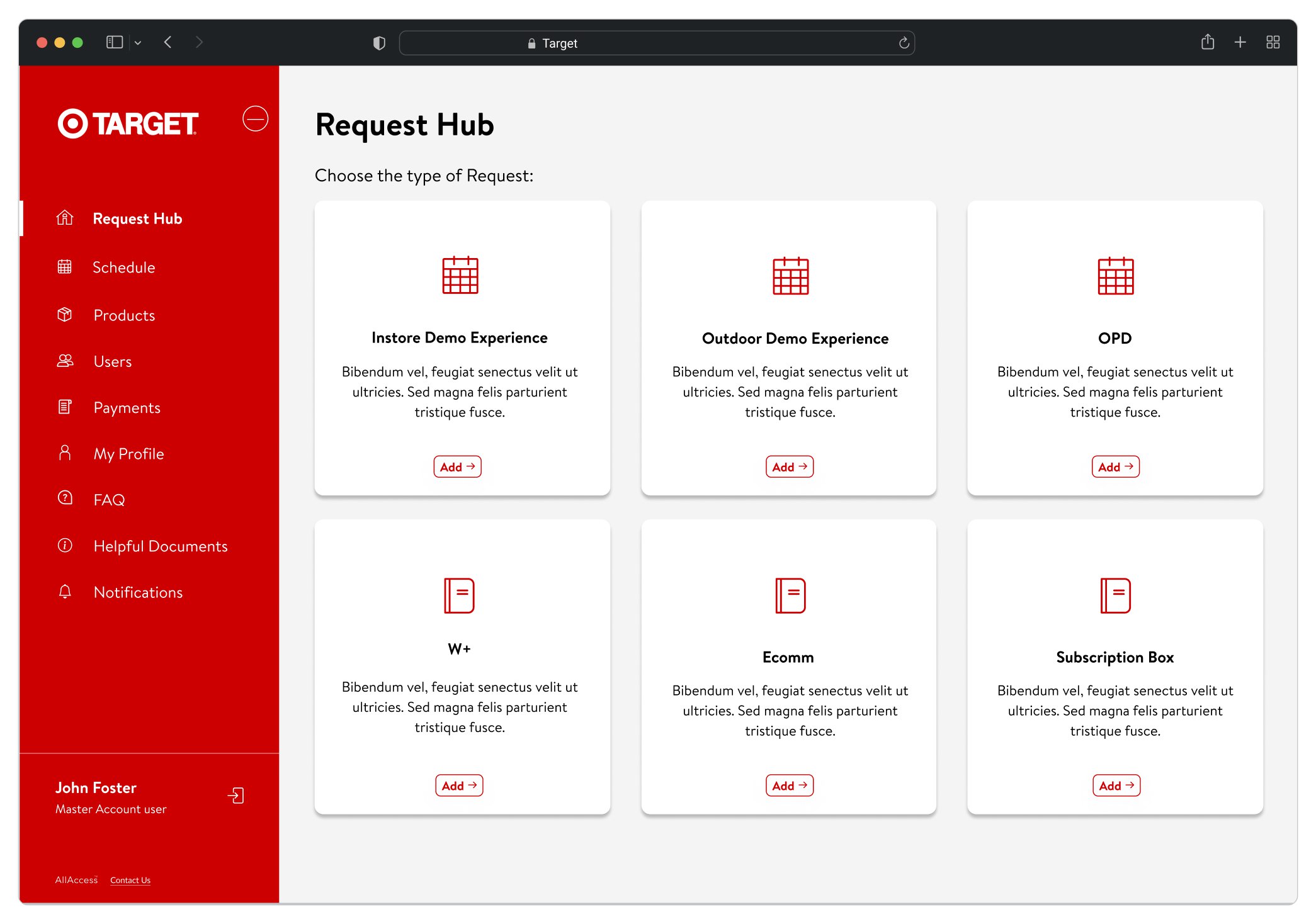
Every scheduled event starts as a request, and the platform supports several request types. The Request Hub makes that starting point explicit: the user picks the kind of activation first, and the workflow specific to it follows from there.
01
Clear entry points
Organize requests around recognizable event types.
02
Progressive complexity
Keep the starting experience simple and reveal workflow-specific information when relevant.
03
Guided onboarding
Use contextual guidance to help users understand unfamiliar workflows and product capabilities.
The product
A more scalable system for enterprise event operations
01
Event creation
Guided workflows for creating retail events.
02
Scheduling
Manage high volumes of scheduled activity.
03
Advanced filtering
Locate relevant events faster.
04
Reporting
Improve visibility into event activity and performance.
05
Configurable UI
Support different enterprise client requirements.
06
Onboarding
Provide contextual guidance throughout the product.
Outcome
A simpler experience that increased adoption across the platform.
The redesign modernized a critical enterprise workflow while creating a more scalable foundation for different retail clients and operational needs.
+18%Usability improvement
67 → 78%Multi-feature adoption
Scalable
Shared UI foundation across enterprise configurations
Reflection
Enterprise design is often less about adding flexibility than deciding where flexibility belongs.
Working across different retail clients reinforced the importance of separating consistent product behavior from client-specific configuration. The goal was not a different product for every retailer, but a shared experience flexible enough to accommodate meaningful operational differences.