Design Brain
- Role
- Product Designer & Developer
- Scope
- Product strategy · UX/UI · Prototyping · Development
- Product
- AI · Design Tools · Figma Plugin
- Context
- Personal project
AI-powered design critique
Turning design critique into an immediate part of the workflow.
Design Brain is an AI-powered Figma plugin that analyzes selected designs and surfaces feedback across layout, spacing, typography, color and accessibility.
I designed and built the plugin as an exploration of how AI could support everyday design decisions — providing structured, actionable critique without requiring designers to leave Figma.
The Problem
Design feedback often arrives after the work is already done.
Designers regularly evaluate spacing, hierarchy, typography, color and accessibility while they work, but structured critique often depends on another person being available or on switching to separate tools.
01
Feedback is asynchronous
Peer reviews are valuable, but they are not always available at the exact moment a designer is making a decision.
02
Quality checks are fragmented
Spacing, typography, accessibility and design-system consistency are often evaluated separately.
03
Context switching interrupts flow
Exporting designs or moving into another tool adds friction to what should be a lightweight review step.
The opportunity
What if critique could happen while designing?
The core idea was deliberately simple: allow a designer to select a frame, request a review and receive prioritized feedback without leaving Figma.
The product therefore needed to do three things well: require almost no setup, explain what was happening during analysis, and turn potentially complex feedback into something a designer could act on immediately.
Select
Choose a frame
Analyze
Review design decisions
Improve
Receive prioritized feedback
Product definition
Designing around the moment feedback is needed
I explored the decisions designers repeatedly evaluate during UI reviews — layout, spacing, typography, color and accessibility. Rather than building a broad design assistant, I focused on one repeatable interaction: select, review, understand and improve.
01
Stay inside the workflow
The review should happen directly within Figma rather than requiring designers to export or upload their work elsewhere.
02
Prioritize, don’t overwhelm
Feedback should help designers understand what deserves attention rather than presenting an undifferentiated list of issues.
03
Explain the critique
Results should be structured enough for designers to understand what was detected and why it may matter.
Design decision 01
Making review feel like a native Figma action
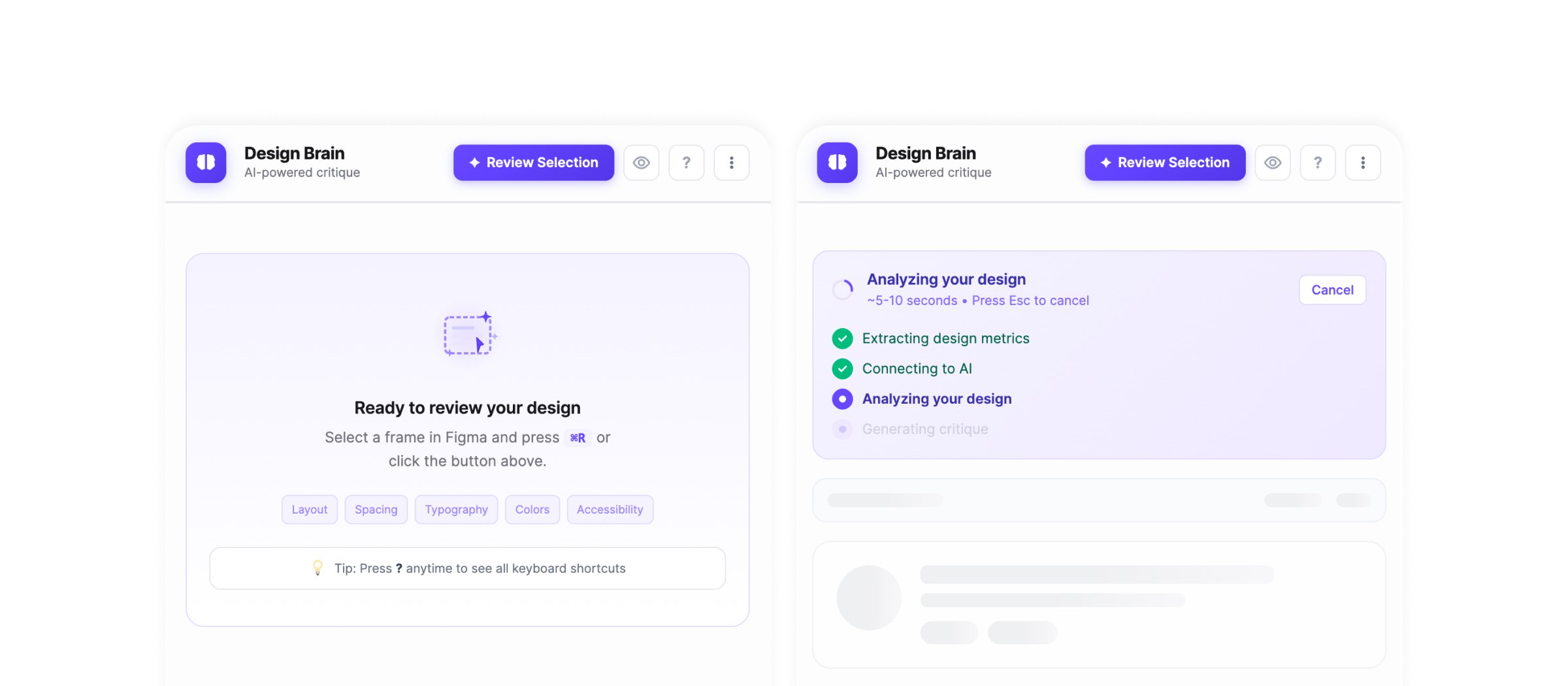
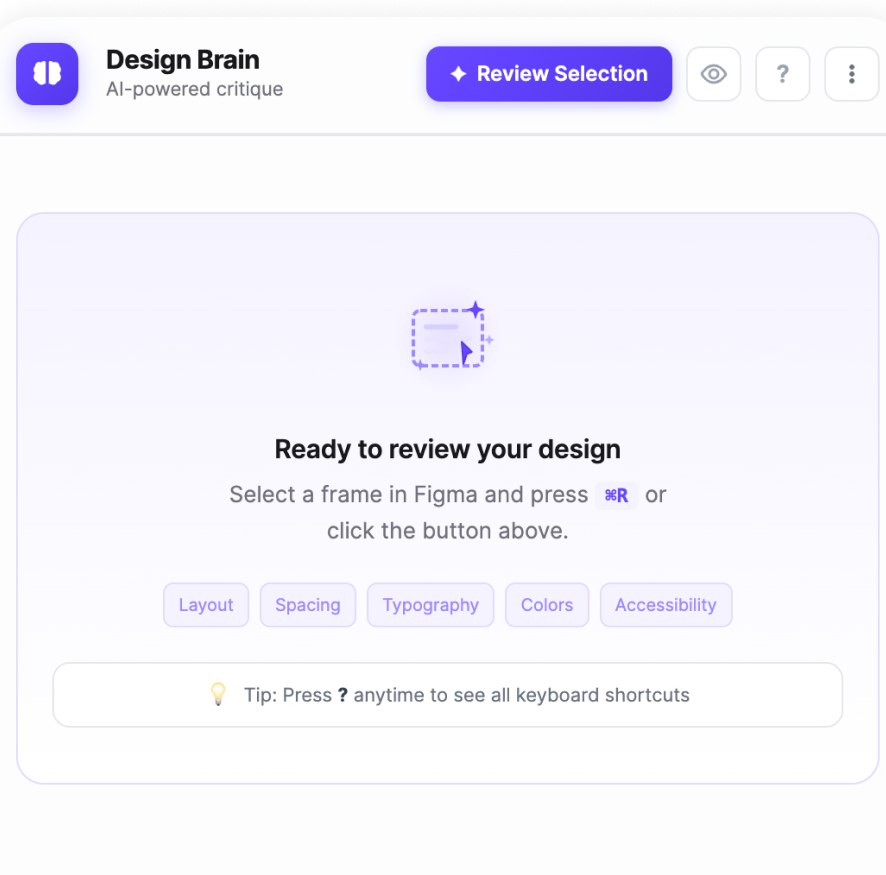
The primary interaction was intentionally reduced to one action: select a frame and start a review.
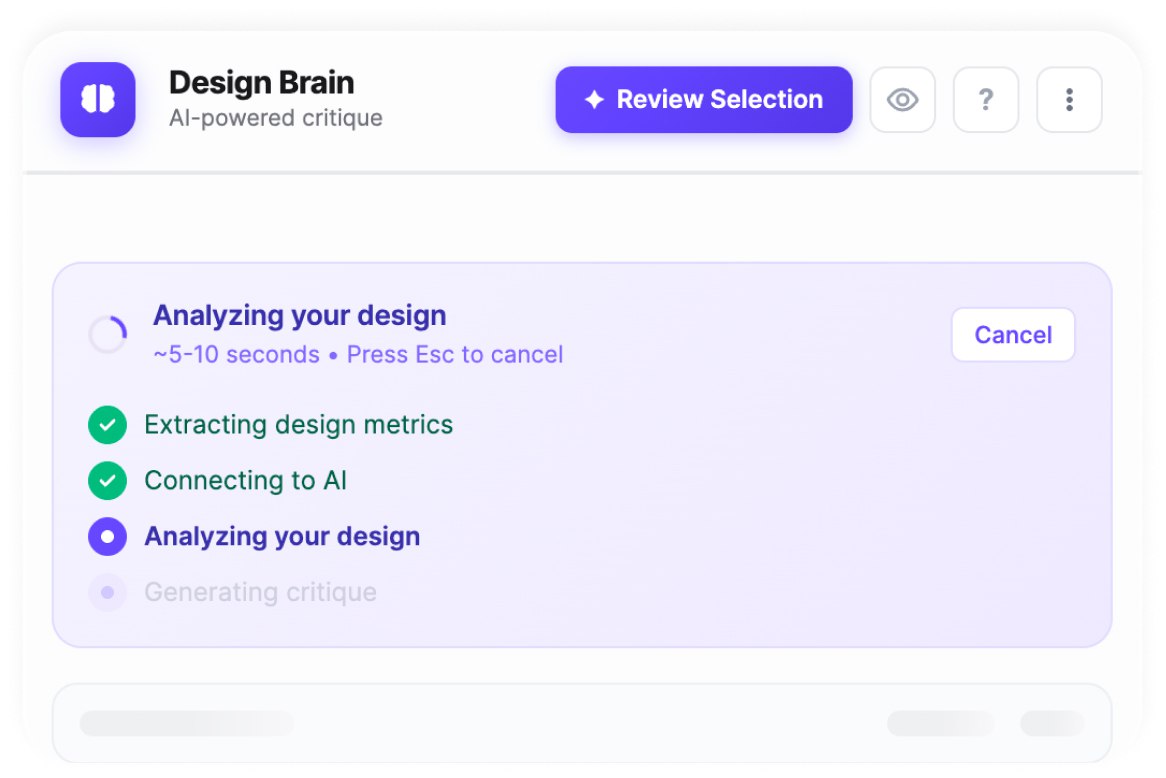
Once triggered, the plugin communicates each stage of analysis so the wait feels understandable rather than opaque.
01
One clear entry point
Review Selection keeps the primary action obvious.
02
Visible system status
Analysis stages communicate what the plugin is doing.
03
Interruptible interaction
Designers can cancel the process instead of being locked into the AI request.
Design decision 02
Turning AI output into actionable critique
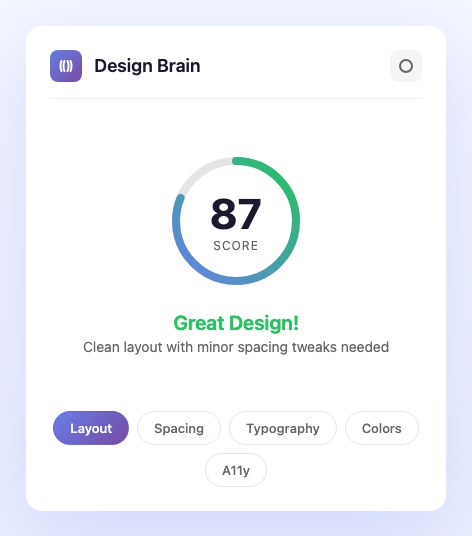
Raw AI feedback can easily become verbose or difficult to prioritize. The interface organizes analysis into recognizable design-quality categories and surfaces the most important improvements first.
The goal was not simply to generate more feedback, but to make the feedback easier to interpret and act on.
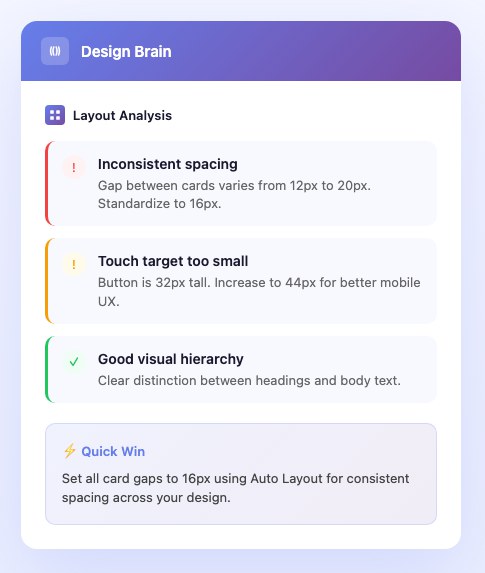
01
Design quality score
Give designers a quick summary of the overall analysis.
02
Quick improvements
Surface high-priority fixes before deeper detail.
03
Categorized analysis
Separate feedback across layout, spacing, typography, color and accessibility.
04
Pass / issue states
Distinguish areas that need attention from those already meeting the evaluated criteria.
Design decision 03
Letting critique understand the designer’s system
Generic design rules are not enough for every product. Design Brain lets designers define parts of their own system — spacing scales, type scales and minimum touch targets — so reviews can evaluate consistency against the context of the product being designed.
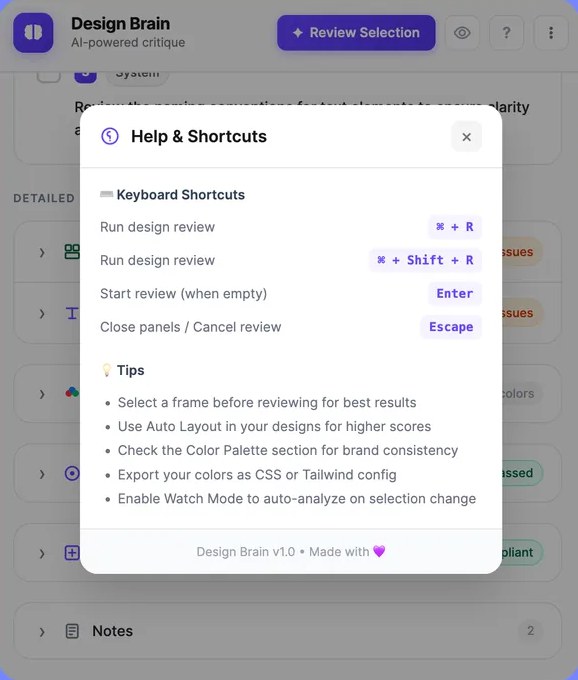
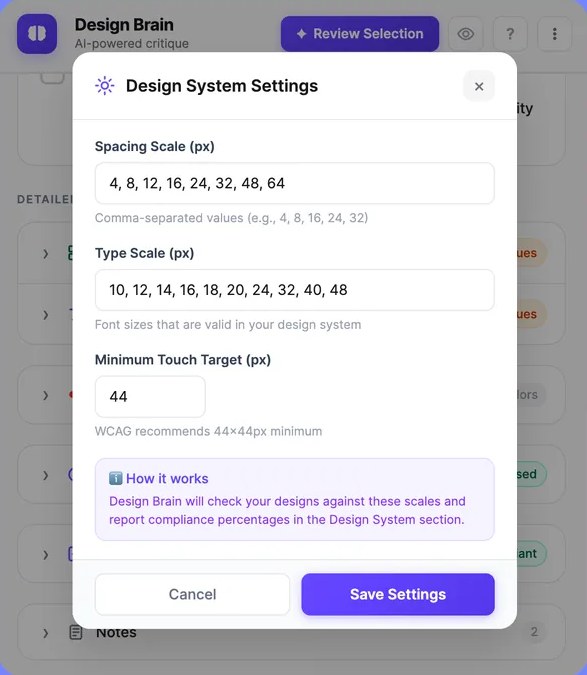
01
Custom spacing scale
Evaluate spacing against the values used by the product.
02
Custom type scale
Check typography against the system rather than arbitrary sizes.
03
Accessibility baseline
Define the minimum touch target used during evaluation.
The product
One review, multiple layers of feedback
- AI design critiqueAnalyzes the selected frame and generates structured design feedback.
- Design quality scoreProvides a high-level summary of the analyzed design.
- Quick improvementsSurfaces the changes that deserve immediate attention.
- Detailed UI analysisBreaks feedback into layout, spacing, typography, color and accessibility.
- Design-system checksEvaluates selected rules against configured spacing, type and touch-target values.
- Accessibility insightsHighlights relevant accessibility and usability concerns.
Design + development
Taking the idea from interface to working plugin
Design Brain was not only a design concept. I implemented the plugin as a functional Figma tool, translating the interaction model, analysis states and feedback structure into a working product.
Designing and building the experience together made it possible to iterate directly on the relationship between interface behavior and the underlying analysis workflow.
Built with TypeScript and Preact on the Figma plugin API, with analysis handled by a small hosted service. View on Figma Community
Design
Build
Test
Iterate
Outcome
A working exploration of AI-assisted design critique
Design Brain became a functional Figma plugin that demonstrates how AI-generated critique can be integrated directly into a designer’s workflow.
The project explored an important product question: not whether AI should make design decisions, but how it can provide useful context while those decisions are being made.
Built
Functional Figma plugin
Integrated
Review happens inside the design workflow
Contextual
Feedback considers both general design principles and configurable system rules
Reflection
AI critique works best as a second perspective, not a final answer.
Building Design Brain reinforced that useful AI experiences depend as much on how feedback is framed as on the analysis itself. Designers still provide judgment and context; the product’s role is to surface patterns, inconsistencies and questions worth considering.